


|

|
This is no longer the latest version of Total Access Memo.
Existing Total Access Memo customers can upgrade to the latest version for a nominal fee.
For more information on the new features, visit Total Access Memo 2025, Version 25.
Total Access Memo 2021 New Features
Total Access Memo was originally introduced with Microsoft Access 97. Over the years, we released several versions as Access evolved. Thank you for being a loyal customer over the years and inspiring us to deliver better rich text memo fields in Microsoft Access forms and reports.
Enhancements
We have made many enhancements since the 32-bit version for Total Access Memo 2007:
- Support for 64-bit Versions of Access/Office including 365
- Backwards Compatibility
- Improved Rich Text Editor
- Enhanced Sample Database
- Updated Manual and Help File
- New Setup and Distribution Programs

 Total Access Memo is an ActiveX control which is bitness dependent: 32-bit or 64-bit.
From Microsoft Access 97 to 2007, Access was only 32-bit. A 64-bit version was introduced with Access 2010. Since then, Access/Office can be installed as either 32 or 64-bit mode, but not both for one Access version.
Multiple Access versions can be installed on a PC at the same time (e.g. 2010, 2013, 365) with different bitness among them. However, since Access 2016 (including 2019 and 365) only one of these can be installed on a PC.
- Total Access Memo includes 32 and 64-bit ActiveX controls for all versions of Access 2003 and later.
- There are separate setup programs for installing the 32 or 64-bit version. The choice is based on the bitness of your Access version. There are also separate runtime distribution EXE files based on bitness.
The new version of Total Access Memo is backward compatible with its 2000, 2003 and 2007 versions. Your existing Total Access Memo controls in your Access databases since Access 2000 are automatically upgraded to the new version.
Note: Due to differences in how ActiveX controls are hosted in Access 97, it is not supported.
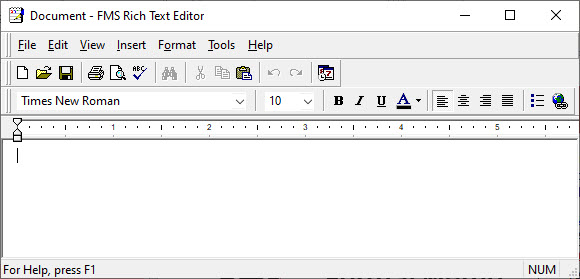
From the Access form, pressing [F2] in the Total Access Memo control, opens the FMS Rich Text Editor window. This can be maximized to full screen for the user to easily enter and format their rich text memo field.
Total Access Memo 2021 makes sure this editor opens above the Access form and links to online help. Rather than installing a help file on all your users’ PCs to use the RTF editor, it now references this web page: Using the FMS Rich Text Editor in Total Access Memo.
The sample database is updated with requested enhancements and simplified with less code.
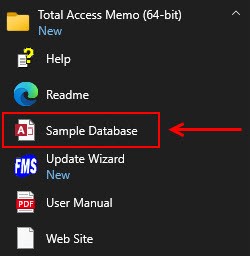
The manual and help file are updated. The detailed programmatic reference is now online.
The new setup programs let you install the 64 or 32-bit versions on all current versions of Windows. New runtime distribution programs support 64 and 32-bit installations with a command line option to run in silent (invisible) mode.
Additional Resources
2025 Version is Shipping!

Supports 64 and 32-bit versions of Microsoft Access 2010, 2013, 2016, 2019, 2021, 2024/365,
and 32-bit versions of Access 2007, 2003, 2002, and 2000!

Reviews

Best ActiveX Control
"Total Access Memo makes all the difference in my Access apps! Only Memo gives me fonts, colors, images and all the formatting tools I need. It's great!"
B. Simmons, Ciena, Linthicum, MD
Memo Info


Additional Info